
TranceAddict Forums (www.tranceaddict.com/forums)
- Chill Out Room
-- Windows Problem, Please help
Pages (2): [1] 2 »
Windows Problem, Please help
I just bought a new hard drive recently(old one burned out, so i lost eveything i had) anyways, installed windows Xp on it and all the old programs and files i had backed up. Recently though I have been having a problem, when i click to open 1 specific folder my PF usage goes all the way up. It only happens on this one folder and coincidentally, when i open 1 other specific folder my CPU usage goes up to 100%(the explorer.exe(not internet explorer)goes up to almost 100 causing this. I have run ad aware removed all the spyware and stuff like that and ETrust EZ virus scan and nothing...Anyone have any ideas what could be causing this? the PF usage stays high for a while lagging my computer almost to the point of freezing with anything i do. Never had this problem b4 with my old drive, and my computer is pretty good so its not a hardware issue. Any help would be dearly appreciated..
Thnx
the programs that you backed up .. are they ripped programs running directly from the pc? do they require a cd?
probably the best thing to do is to re-install your programs, because they may require system files that are saved inside the
or maybe the programs that you have currently run directly on a fat32 system, and xp is a ntfs system, so it takes time to convert fat32 to ntfs??
just suggestions...

I agree when in doubt follow triple R routine
Reformat
Reinstall
Reboot
btw, best way to restore a system is ghost i hope you didn't simple copy the system files over.
Actually all i copied back to the HD was music and media files. The programs i just installed off of cd but i have them all running off of the Hard Drive. The wierd thing is..it only happens when i open a directory where i download all my files. All I have there are music files and incomplete Bittornado files. So I dont see what any program has to do with it..I suspected a few but I completely uninstalled them from my HD. So I really dunno why this is happening  Its pissing me off!!!
Oh Yeah my sytsem is NTFS and the only files i copied to the drive other than the actual programs(most programs i got off the internet, from their respective sites) were audio and mp3 files
Are you opening compressed files when it lags? Uncompress all your software. Other problems may be your hardware "thinking" too hard if it's underpowered (i.e., chip and RAM).

[[[smoke]]]
Sarah McLachlan - World on Fire (Junkie XL Mix)
it's probably the incomplete bittornado files. Usually occurs when its a very large incomplete file like an incomplete movie or something. I had this problem. .once i got rid of the incomplete files cpu usage was normal.
Well, yeah. Defrag the damn thing too.

[[[smoke]]]
maybe it's the way the hard drive or system is accessing the different partition ..
did you format - partition your drive(s) correctly?
maybe it's something with your hard drive and it's seek time .. it's screwing up .. did u buy it used?
Dang, last post just reminded me of a good tip for y'all.
Want to speed up Disk Cleanup? Use the following steps. No shit, I won't lead you wrong and I'm not chumping my fellow addicts (backup your registry if you don't believe me). What this does is eliminate the Windows function of compressing old files which will slow your computer when you have plenty of space and don't need a compression program to automatically do this when you don't want it to.
1. Type Regedit in Start - Run
2. Navigate to HKEY_LOCAL_MACHINE\SOFTWARE\Microsoft\Windows\CurrentVersion\Explorer\Volume Caches
3. Open "Compress Old Files" folder
4. Delete all files in this folder
5. Reboot
6. Run Disk Cleanup
[[[smoke]]]
Yamino - Fly with Me (Kenny Hayes Mix)
chances are the problem is concerning the files being copied, you previously used a fat32 allocation, and are now using ntfs i'm presuming seeing as you installed using windows xp. if you didnt use ntfs that could be one issue - as xp can run slow as all fuck if you dont use ntfs with it, if you are ntfs then there may be an issue with the way you copied the files from the old hard drive. windows xp can copy from fat32 to ntfs and vice versa, but perhaps that is where the problem lies - also have you installed sp2, it could be conflicting with other programs, xp may have been installed badly, you could have bad sectors on you hdd (which i doubt because if you did you would have had a lot of trouble copying the files in the first place) there are so many possibilities that could be causing this its just not funny
what are you using hardwarewise? and also if they are incomplete media downloads then your computer may be shitting itself as generally avi files are not available for viewing/previewing if it has not been completed properly, virtualdub can solve this issue for you
Thanks everyone for all the help. Answering some of the questions, I got this hard drive new and I didnt copy any files to this new hard drive. The only files i copied were mostly mp3 and audio files to this new hard drive. The system is ntfs and my hardware is pretty decent. I have a P4 2.0 CPU, 512 mb of RAM and a 120 GB(new Drive)
What exactly does Virtual DUb do M?
I do have incomplete media files on this folder(large ones like a couple of movies) but the thing runs up on resources as soon as I open the 'downloads' folder(thats where it goes bonkers) I have defragmented and thats all in order. If by chance it is, these media files, what should I do? Delete them and my problem should be fixed? I didnt seem to have this before when I was downloading files with Bittornado, I may be wrong though?!
You just identified the problem - Bittornado. Get rid of Bittornado, delete the folder with the media files, reload the software, and redownload any media files you want. Otherwise, spend countless hours trying to figure it out.

[[[smoke]]]
there are number of things you could do
1. determine if its the folder or files causing the problem. Move files out of that folder until you find the culprit.
2. start in safe mode to see if the problem still exists.
you are aware that too many files in one folder can slow ur pc. Like 5,000 mp3 in one folder isnt a good thing.
Hey Smokeape and Igottaknow, in response to ur questions, I dont have that many files in this folder, just the files I download off of DC and Bittornado, then when they are complete I move the files into their respecive folders IE:Movies or music..whatever.
Hey Smoke u mean delete all my incomplete files? and re start downloading from scratch? And my computer goes bonkers as soon as I access the folder, I dont even have to single click on a file, as soon as I'm in that folder the PF usage skyrockets. When this happens as well nothing else is running like Bittornado..so thats why i wonder if it has anything to do with it...
Thnx again for all the help, I really appreciate it! These problems can be so damn frustrating...'esp[ecially on weed' 
When you click in the folder, you're opening software associated with the file, like WinAmp when you clik on an MP3 file. Try reinstalling the software first. If that doesn't work, reload the files.
[[[smoke]]]
| quote: |
| Originally posted by Space Cadet Thanks everyone for all the help. Answering some of the questions, I got this hard drive new and I didnt copy any files to this new hard drive. The only files i copied were mostly mp3 and audio files to this new hard drive. The system is ntfs and my hardware is pretty decent. I have a P4 2.0 CPU, 512 mb of RAM and a 120 GB(new Drive) What exactly does Virtual DUb do M? I do have incomplete media files on this folder(large ones like a couple of movies) but the thing runs up on resources as soon as I open the 'downloads' folder(thats where it goes bonkers) I have defragmented and thats all in order. If by chance it is, these media files, what should I do? Delete them and my problem should be fixed? I didnt seem to have this before when I was downloading files with Bittornado, I may be wrong though?! |
All problems with windows are solved via the following steps:
1. Reboot
2. Re-install driver/hardware/software
if still not successful
3. Format
4. Re-install OS
5. Try again
it's the only way
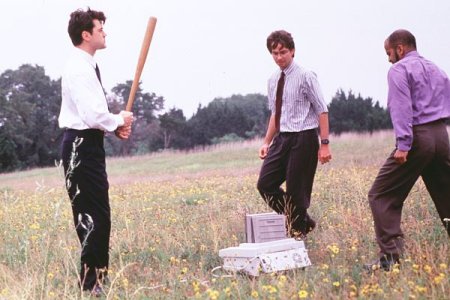
man i was watching that the other day
fkn love that movie
relates to my office so much
i had that same problem when i first got my computer. everytime i opened the folder that had all my movies/music files etc. my computer would freeze and it would run so slow....slower than dial up, if that gives you any idea. well it turns out one of the movies was playing in the background, by some other media usuage thingy. my brother fixed it and i cant tell you exactly what he did....but i do know that he changed the way you view everything in a folder. like xp has all these nice pictures when you open up a folder, so it turned that off and simplified it all, and then problem stopped. sorry i cant quite explain it that well....
get rid of the preview pane under folder options... could work
yeah i guess that is what he did. i use the classic windows folder under options. try that.
| quote: |
| Originally posted by -=M=- get rid of the preview pane under folder options... could work |
ok i'm having a bit of a computer problem myself (at work) but i didn't want to start a new thread...
anyway, i clicked something (don't remember what) from a website, and now i'm getting popups like crazy...even when i'm not on the net...when i'm in MS word doing work, i get a popup!! i already got updated versions of adaware and ran it in safe mode, and it's still doing it...
also, i went into Temporary INternet Files & deleted all the cookies...is that bad?
what else can i do? this is annoying. it lets me go to hotmail, but when i type in my username and password, i get that "This has performed an illegal operation..bla bla" and i can only click "Close"...then it closes the browser
is it a virus?
| quote: |
| Originally posted by enferno |


Powered by: vBulletin
Copyright © 2000-2021, Jelsoft Enterprises Ltd.