
TranceAddict Forums (www.tranceaddict.com/forums)
- DJ Booth
-- How to hook all my stuff up... another n00bish thread, flame me if needed :p
Pages (2): [1] 2 »
How to hook all my stuff up... another n00bish thread, flame me if needed :p
So I JUST got most of my setup and, well, I don't know much if anything about how to set it up. Currently I'm just waiting for speakers which I have yet to order and I'm still taking suggestions on what I should get. My current setup consists of:
2x Pioneer CDJ 200's
1x Numark DXM06
1x Stanton Pro DJ 3000 headphones
All of it came with the correct cables I presume. Currently, I've got it setup with the connectors white-on-white and red-on-red from both cdjs into the Line slots, with the switch set over on both channel 1 & 2 to Line. I've switched between Phono, Line, and flip-flopped the white/red connectors and whenever I put a cd in, I still don't hear anything in my headphones (and yes, I've already checked the headphones on my iPod, they work just fine, love the sound  ).
).
Now I do realize how utterly n00berific this thread sounds, and is, but I'd appreciate some help in plugging everything in so that I, you know, actually HEAR a cd out of all this expensive equipment I just bought. I can take crappy phone pics of the back of my mixer and cdjs if needed 
[edit]
pics time!
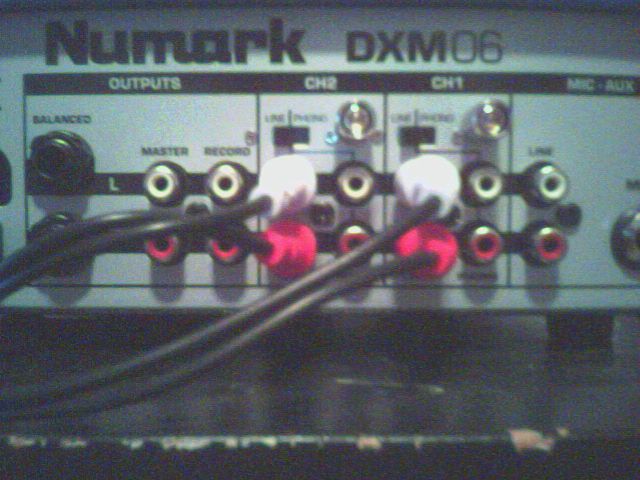
There's my mixer, currently set white-on-white and in Line on both channel 1&2
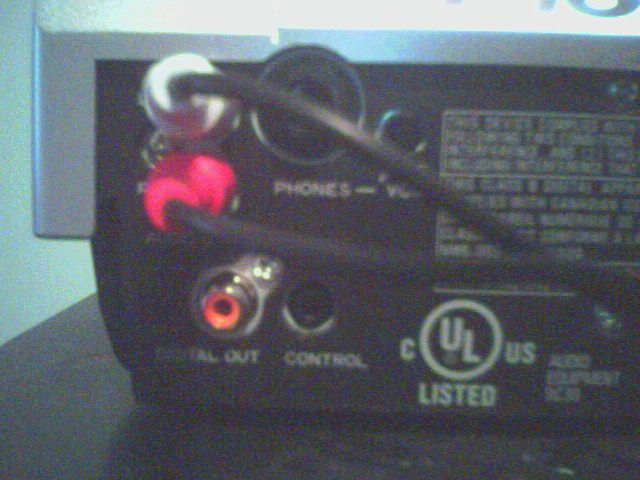
There's one of my cdjs, the other's set up exactly the same. I just found that tiny ass volume dial on the back of the cdj itself, but I assume it's for the direct headphone-in volume (which is why there's a phone jack there I assume as well).
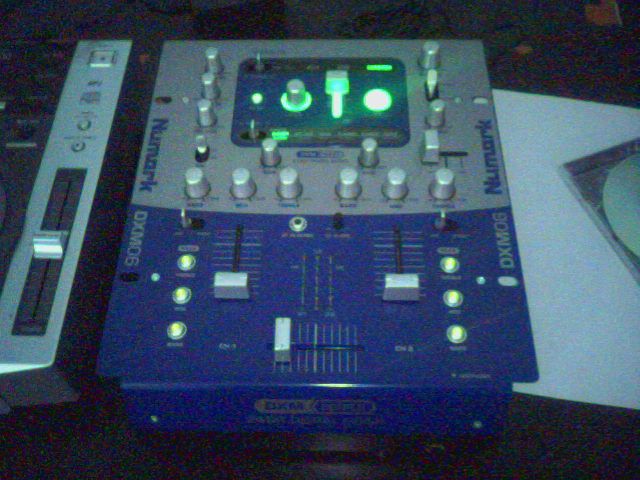
There's my mixer, (before I got the other cdj if you're wondering where the second one is) and those are the knobs and sliders I have to mess around with. I've messed around with all of them and I still haven't heard anything though 
sounds like youve got it all set up correctly, its most likely a mixer setting thats the problem. make sure your cross fader is in the middle, turn up both channel faders, and fool around with your headphone cue options (not sure exactly where this is, never used an dxm06). hehe, and dont forget to turn up the headphone volume 
are they powered on?
| quote: |
| Originally posted by pkcRAISTLIN sounds like youve got it all set up correctly, its most likely a mixer setting thats the problem. make sure your cross fader is in the middle, turn up both channel faders, and fool around with your headphone cue options (not sure exactly where this is, never used an dxm06). hehe, and dont forget to turn up the headphone volume |
| quote: |
| Originally posted by Basstard are they powered on? |
From looking at pics of the mixer, it looks like there are 2 switches on the back that select between Line and Phono, make sure they are set to line if you are using CD players. Then flip the switches on the front (just above the kills) to line as well....seems kind of redundant to have two places to set Line, but it looks like thats how this mixer is set up.
Nevermind, I see you've done all that already.....
Try this, plug your iPod into the mixer and see if you can get sound out of it. Also, try pluging the CD players into a home stereo and see if they work...one or the other has got to be the problem and this may help track down which one is not working.
Good luck
| quote: |
| Originally posted by mal1ce From looking at pics of the mixer, it looks like there are 2 switches on the back that select between Line and Phono, make sure they are set to line if you are using CD players. Then flip the switches on the front (just above the kills) to line as well....seems kind of redundant to have two places to set Line, but it looks like thats how this mixer is set up. Nevermind, I see you've done all that already..... Try this, plug your iPod into the mixer and see if you can get sound out of it. Also, try pluging the CD players into a home stereo and see if they work...one or the other has got to be the problem and this may help track down which one is not working. Good luck |

| quote: |
| Originally posted by Demoted I don't know exactly what you mean though by hooking my iPod up to my mixer, nor how I would go about doing that. |

from those pics, it looks like youve got all the kill switches turned on (the 3 round lights on either side of the channel faders) turn them off.
| quote: |
| Originally posted by pkcRAISTLIN from those pics, it looks like youve got all the kill switches turned on (the 3 round lights on either side of the channel faders) turn them off. |
| quote: |
| Originally posted by mal1ce You would need an 1/8th (IE - mini-headphone jack) to RCA patch cord. You would go from the headphone out on the iPod to the line in RCA's on the mixer. Basically you need some way to test the line in's on that mixer...any non-phono device will work, hell...you could even hook up your sound out from your computer to the mixer and play a sound file. Here, you need this without the yellow RCA |
This is how the mixer looks currently
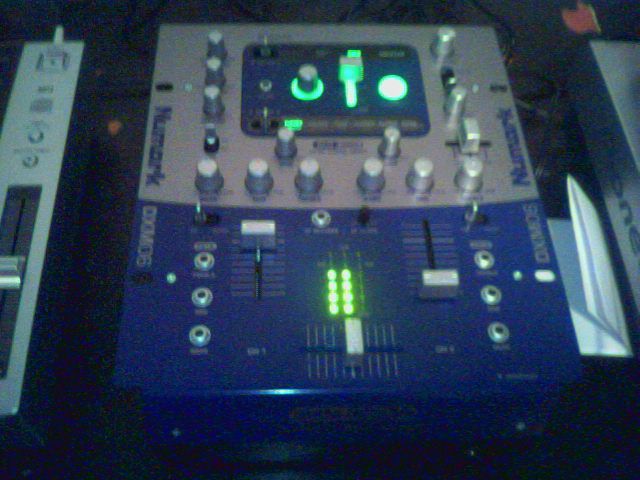
For some reason, those little dotted lights between the volume sliders light up when a cd is playing on the left cdj, but not for the right, even though they are both hooked up the same. I don't know about that at all, and I'm still not getting any sound from the mixer. Oh, and the kills are off
yeah, that all looks fine to me. the fact youre getting LEDs says the mixer is taking the sound in. can you push your phones in any further?
never used CDJs so cant help you from that standpoint.
| quote: |
| Originally posted by pkcRAISTLIN yeah, that all looks fine to me. the fact youre getting LEDs says the mixer is taking the sound in. can you push your phones in any further? never used CDJs so cant help you from that standpoint. |
sorry dude, im out of ideas. but yeah, if the LEDs arent lighting up on the other channel when you turn the channel faders up then i would suggest theres a problem somewhere. good luck man.
edit: swap your decks around to determine whether theres a problem with the right channel.
| quote: |
| Originally posted by pkcRAISTLIN sorry dude, im out of ideas. but yeah, if the LEDs arent lighting up on the other channel when you turn the channel faders up then i would suggest theres a problem somewhere. good luck man. edit: swap your decks around to determine whether theres a problem with the right channel. |

| quote: |
| Originally posted by Demoted I've deduced it's probably a mixer problem... which most likely means I'm out $250 unless I can find that invoice |
| quote: |
| Originally posted by Trance Nutter If you bought it online, wouldn't you have an online invoice you could print off? |
I should be able to find it. Still, I will have to pay to ship the sunuvagun back as well as order another and wait for it to show up
dunno if you tried...but the knob below the cue gain...make sure its to the right channel
hey man, dont panic yet. check these things first.
Is you mixer plugged into stereo from line out in the back? You can test it without it anyways.
Make sure yor headphones are plugged in the correct way.
Look for knob that says Volume and little headphone picture or headphone volume knob and make sure its about half way I would guess to make sure its up.
For 2 channels there should be GAIN knobs, make sure they are half way up on BOTH sides. The reason why you might not see the right CDplayer send the sound is because the right channel on the mixer has the GAIN off. So turn both knobs up both way. ALso, make sure there should be 2 switches on your mixer on the TOP PANEL that has 2 options PHONO And LINE IN. The left one might be set to Line in (Thats why the CD player are working fine) and make sure the rightone is the same. I had the same problem until I realized that my switches were on phono instead o f line in :-)
Set all eq's in the middle (just in case)
Make sure the kill switches are off. The 3 in a row lighted buttons should be off (I understood that those are the killswitches)
make sure that MASTER MIX knob is turned up.
in order for you to hear stuff in your headphones there should be buttons that say CUE. or just buttons above the channels. Just 1 button. WHen the button is on it sends the sound from channel to your headphones and might be speakers if the crossfader and upfaders are set correctly. So check those
Make sure the upfaders are both up and crossfader is on the middle.
I dont know what else. play around with that, maybe someone else will give you better advice and possibly a solution. Any of these might help.
If worst comes to worst call numark for support, check their website etc. GOod luck man
READ THE FREAKING MANUALllllll!!!!!!!!!
hehe
anyhow
ok top right Below the Master Output Knob there is a flip switch CUE SELECTOR.
Try flipping that to different things like
a. Master: The Master Output is routed to the
headphones.
b. FX: The FX block output is routed to the
headphones. This allows you to cue the FX
before applying it.
c. CH1-CH2: Allows cueing of CH1-CH2 using the
mini cue-fader
The turning knob below that is headphone volume, and the slider below that ( goes left and right ) is the mini cue fader
Just a basic rundown of the buttons starting from the top right:
Master Output
Cue Selector
Headphone volume
Mini Cue fader
In your case I say put Cue selector to the Top ( Master ) and then the headphones up. If that works then switch Cue Selector to Ch1-Ch2
| quote: |
| Originally posted by jdat In your case I say put Cue selector to the Top ( Master ) and then the headphones up. If that works then switch Cue Selector to Ch1-Ch2 |
Make sure all your knobs are at 12 o'clock (i.e. like the following pic).

might be a dodgy mixer, get your money back and buy anything but a numark.
I remember having a problem setting up a dxm06 mixer a few years ago. Me and my cuz both noobs in all audio equipment.
We figured it all out within 10 minuts though.

Powered by: vBulletin
Copyright © 2000-2021, Jelsoft Enterprises Ltd.