
TranceAddict Forums (www.tranceaddict.com/forums)
- Production Studio
-- Custom computer keyboard for your DAW?
Custom computer keyboard for your DAW?
OK, so I'm sure we've all seen the custom Pro Tools keyboard, but if not here it is:
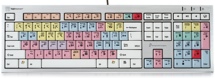
Has anyone seen custom keyboards for other DAW solutions such as Cubase or Logic?
Never mind, found it for Cubase:
Logickeyboard Cubase SX/Nuendo Keyboard

Has anyone around here actually used one of those custom keyboards? I've not, but I dont know that I'd care much for them since you can configure your own hotkeys and such in most DAWs today (I think). Is there some other advantage that I'm missing? I'd be interested in hearing from someone with hands-on experience.
What I do find helpful are gaming keyboards - they have all those extra buttons and macro-recording software that come with them that I've taken advantage of for not just games but also audio production and graphics work. I use a Logitech G15 and saves me loads of time.
http://images.google.com/images?q=l...20&sa=N&ndsp=20
I'm definitely planning on ordering one ASAP. I like the advantage of having an at-a-glance view of the default shortcuts. I am not a big fan of customizing my shortcuts beyond the defaults. Its easier work on someone elses setup if the keyboard shortcuts are all the same.
I just got a set of Editor Keys for Cubase yesterday. I bought a brand new keyboard so it was fresh and put these on so it looks like this:

I think thats also a great alternative Magnus, especially for those who don't want to shell out cash for the LogicKeyboard one.
lol, I just see a normal keyboard!
Kopi =o.
I am using editors keys for Cubase. It's easy.
http://www.editorskeys.com/cubasekeyboard.asp
It's a pain putting all the stickers on, but whatever. It's worth it, and once you learn all the shortcuts anyway, you eventually won't even look at the keyboard.
A good idea though is to NOT use your editors keys-keyboard when using your computer normally...
...yea my WASD keys wore off... guess why?
---Adam
I noticed BT using one of these and thought he had just colored in his keys 
I want one for reason! anyone seen one?
Same website dude:
http://www.editorskeys.com/reasonke...sp?currency=usd
<---- new username! djfreaq is dead.
thanks
Those keyboards are a waste of money IMO. Some very important shortcuts are not mapped...
These are much better:
http://catalog.belkin.com/IWCatProd...oduct_Id=157024

They have 3 "pages" for the controls with full on screen display and everything. The little digital game pad can be used for zooming and navigating, which is awesome. The Cubase zoom tool is a piece of shit, but if you get a Nostromo it's bareable!
| quote: |
| Originally posted by wrzonance I am using editors keys for Cubase. It's easy. http://www.editorskeys.com/cubasekeyboard.asp It's a pain putting all the stickers on, but whatever. It's worth it, and once you learn all the shortcuts anyway, you eventually won't even look at the keyboard. A good idea though is to NOT use your editors keys-keyboard when using your computer normally... ...yea my WASD keys wore off... guess why? ---Adam |
| quote: |
| Originally posted by Magnus but calling it a tool was kind of silly. |

Powered by: vBulletin
Copyright © 2000-2021, Jelsoft Enterprises Ltd.