
TranceAddict Forums (www.tranceaddict.com/forums)
- Production Studio
-- Mastering
Mastering
Anyone wanna master an album? I have the originals [some of the files are pretty badly clipping] and a master a friend did. I want to give others a shot. Of course I won't be paying, but I also won't be expecting pro master. I just want to see what people can do, and give others some practices with a few minor clipped tracks and a few MAJOR clipped tracks.
All the music is mine. And what I will do is pick the best master of each track that I get. All credit and stuff will be given.
My friend mastered everything but some of the tracks lost their flavor.
Don't think of it as me asking for something, think of it as practice for you. 
The issues mostly are the RMS of each track, and clipping. I don't need anything else, I don't need them max loudness, or compressed or anything.

Why not just mix them over so they dont clip? Why the bleep would you want to have music that clips get mastered. All your doing is making already distorted audio, sound even worse by mastering.
| quote: |
| Don't think of it as me asking for something, think of it as practice for you. |

Because the only thing that exists for them are the mp3 renders I did. They are for the most part from a studio I no longer have.
And there isn't much distortion, in fact I only noticed distortion in some of them after they were mastered lol. Some of them are very loud. So I needed the RMS averaged out. The only reason I'm mastering the clipped ones is because clipping, even if there is no distortion, breaks speakers.
Also the ones that clip are from 6 years ago before I knew what clipping was. One of the tracks is basically a phat brick.
once the dynamics are out, you'll never get them back.
Yeah, the trick is to reduce clipping without loosing them
your clipped track is 0,0db, take a limiter en put it on -0.03db and run your track through that, or normalize them * .997% loudness
| quote: |
| Originally posted by Raphie your clipped track is 0,0db, take a limiter en put it on -0.03db and run your track through that, or normalize them * .997% loudness |

| quote: |
| Originally posted by cronodevir Yeah, the trick is to reduce clipping without loosing them |
| quote: |
| Originally posted by RichieV have you tried increasing your latency ? Maybe that might help the quality issues. Also, there is a plugin that acts someone like a compressor except it is triggered by suckyness. It has an incredibly fast attack but don't get caried away with the threshold setting or your music will most likely just be silence. |
| quote: |
| Originally posted by RichieV have you tried increasing your latency ? Maybe that might help the quality issues. Also, there is a plugin that acts someone like a compressor except it is triggered by suckyness. It has an incredibly fast attack but don't get caried away with the threshold setting or your music will most likely just be silence. |
| quote: |
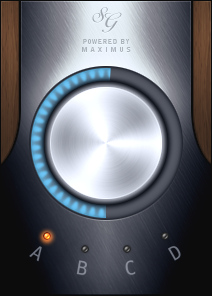
| Originally posted by cronodevir Maby I should use the soundgoodizer? Excerpt from the FLStudio Manual: [I didn't change a single letter] " * The knob - Blends from left to right from Soungoodizing 0% (bad) to 100% (good). Turn the knob to the level that sounds goodest. * Parameters (A, B, C, D) - Click the switches to select one of 4 carefully chosen, hand crafted phase-locked hyper-calibrated bit-polished Maximus presets. Select the preset to match your music by clicking and listening for the good stuff to happen. " |
| quote: |
| Originally posted by RichieV Unfortunately you can't make something from nothing. You can however take away something that isn't good as i discussed prior. My only worry is that the end result will have an rms of -infinity |
i never doubted your deductive wizardry.

Powered by: vBulletin
Copyright © 2000-2021, Jelsoft Enterprises Ltd.