|
Connecting a laptop to a mixer
|
View this Thread in Original format
| brucelee6783 |
What's the IDEAL way to hook up your laptop to your mixer?
http://www.djdeals.com/egosystemsGIGAPORTAG.htm
Is that equipment what I would want or need?
Someone suggested getting a "Media Center Notebook"...
Comments? Thanks in advance. |
|
|
| Orbital32 |
i would just get a mini jack to RCA converter! you might need a ground loop eliminator if you get buzzing throught speakers. You can pick one up at a local mobile car audio shop for about $20.\
sorry since your post is pretty vauge, that is the best cheapest way for general usage. |
|
|
| zizack |
| all you need is the right wiring. I forget what the exact name is, but I have my computer's headphone out going directly into one of my mixer's line in inputs with one of those converters. It was like $15 at Radio Shack. |
|
|
| zizack |
| aha! what he said. |
|
|
| brucelee6783 |
| Does the convertor give me stereo sound in 2 seperate channels on my mixer? I dont want 1 mono to each channel. |
|
|
| Orbital32 |
something like this:
 |
|
|
| Orbital32 |
| are you talking about having 2 seprate channels all togther or just left and right channels. 2 get 2 seperate channels on the mixer you need at least 2 sound cards, and a progam that supports them both. |
|
|
| brucelee6783 |
Yeah, sounds like I would need 2 seperate sound cards.
I should have been more specific so here goes...this
is for being able to preview cue tracks in my phones in
PCDJ during a live performance. Make sense? |
|
|
| tvmann |
| quote: | Originally posted by brucelee6783
Yeah, sounds like I would need 2 seperate sound cards.
I should have been more specific so here goes...this
is for being able to preview cue tracks in my phones in
PCDJ during a live performance. Make sense? |
You just need an audio card with 2 or more stereo outputs, such as the Echo Audio Indigo DJ, it plugs into the laptop cardbus slot. Other cards (or external audio systems) are available for USB or Firewire connection. The Indigo replaces your normal laptop internal soundcard, and I believe the other types of cards do the same thing. |
|
|
| brucelee6783 |
That Echo Audio Indigo DJ card looks to be exactly
what I will need, I owe you guys. Thanks! :toocool: |
|
|
| Orbital32 |
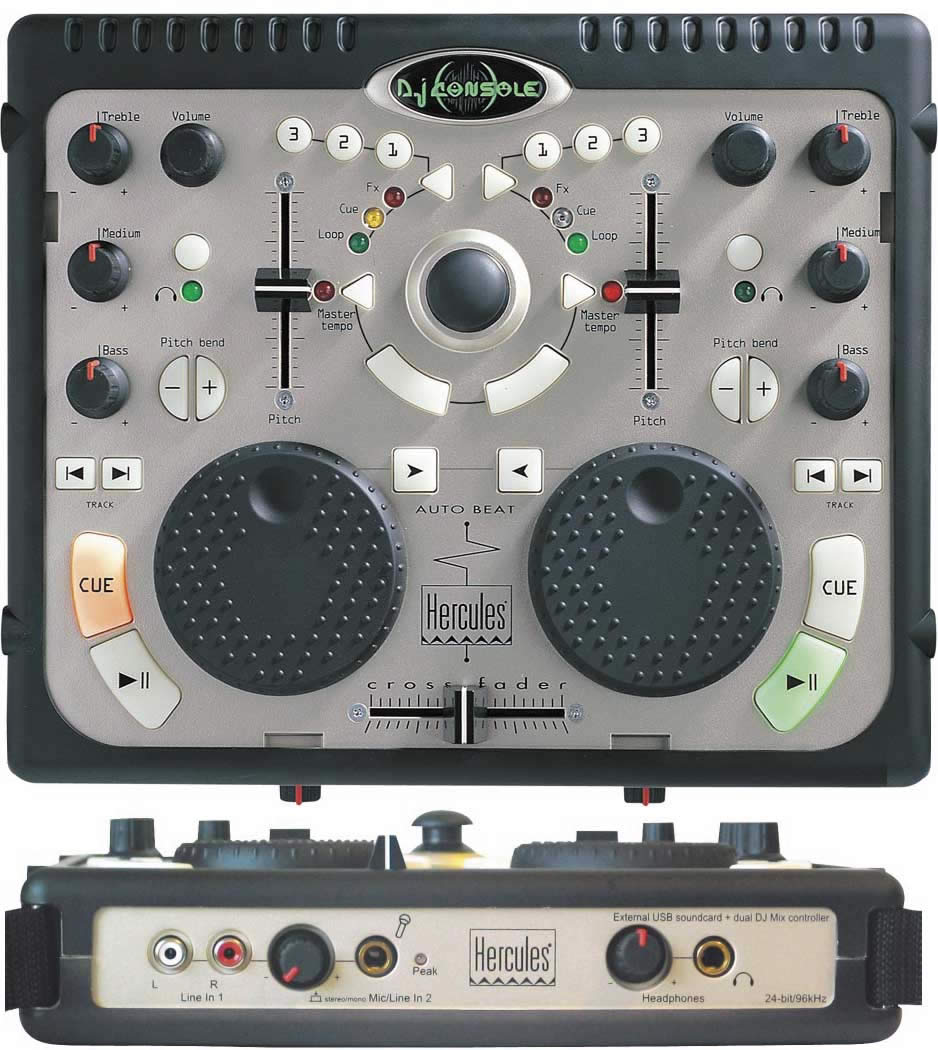
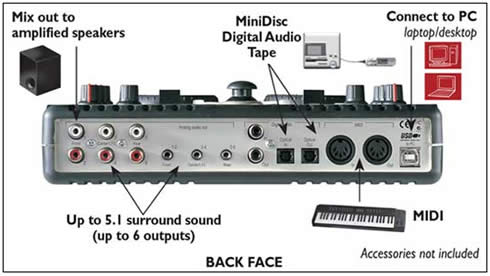
you might also want to check the heruclues DJ console. I have this and i have to admit it's pretty bad ass. goes off both midi controls and ASIO 2.0 as well. It looks like a toy, but doesn't act that way at all. acts like 2 sounds cars in DJ mode, allowing you to cue through the headphones.
http://us.hercules.com/products/sho...hp?p=87&b=0&f=1
p.s by the way i had this prior to my Actual setup up. i haven't really used it to DJ since i got my tables and CDJ. but the sound quailty is amazing. worth looking into. |
|
|
| DJ 00 Tommy |
| I remember ages ago when i wanted something to start out with and not spend much money i was gonna buy that but i saw too many reviews saying the buttons and faders died after about 2 months. |
|
|
|
|

