|
How to hook all my stuff up... another n00bish thread, flame me if needed :p
|
View this Thread in Original format
| Demoted |
So I JUST got most of my setup and, well, I don't know much if anything about how to set it up. Currently I'm just waiting for speakers which I have yet to order and I'm still taking suggestions on what I should get. My current setup consists of:
2x Pioneer CDJ 200's
1x Numark DXM06
1x Stanton Pro DJ 3000 headphones
All of it came with the correct cables I presume. Currently, I've got it setup with the connectors white-on-white and red-on-red from both cdjs into the Line slots, with the switch set over on both channel 1 & 2 to Line. I've switched between Phono, Line, and flip-flopped the white/red connectors and whenever I put a cd in, I still don't hear anything in my headphones (and yes, I've already checked the headphones on my iPod, they work just fine, love the sound :) ).
Now I do realize how utterly n00berific this thread sounds, and is, but I'd appreciate some help in plugging everything in so that I, you know, actually HEAR a cd out of all this expensive equipment I just bought. I can take crappy phone pics of the back of my mixer and cdjs if needed :p
[edit]
pics time!
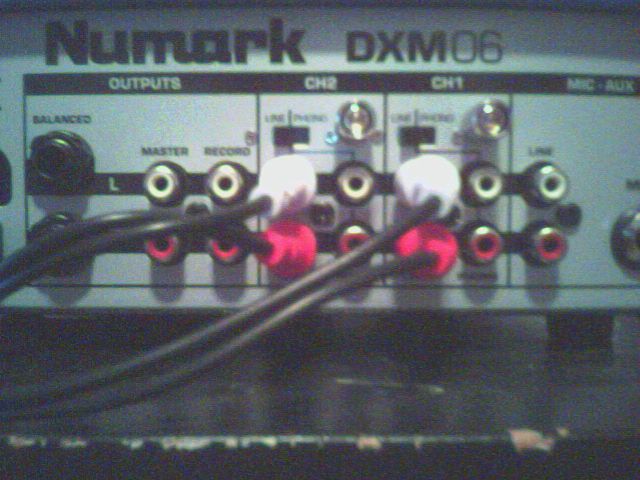
There's my mixer, currently set white-on-white and in Line on both channel 1&2
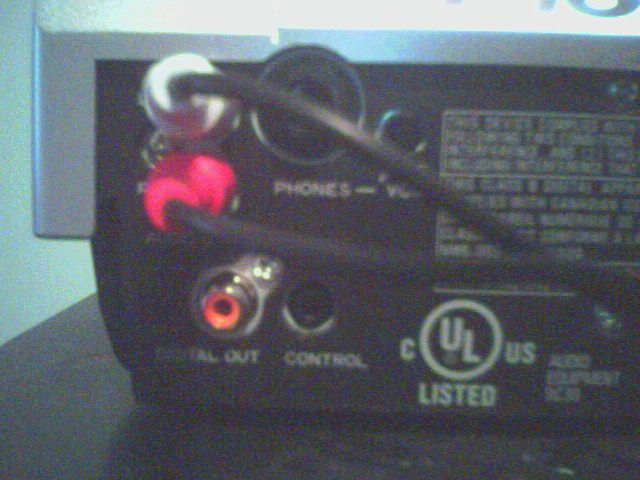
There's one of my cdjs, the other's set up exactly the same. I just found that tiny ass volume dial on the back of the cdj itself, but I assume it's for the direct headphone-in volume (which is why there's a phone jack there I assume as well).
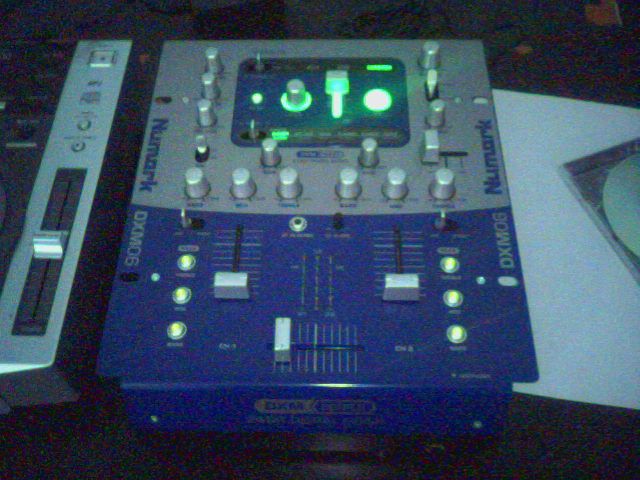
There's my mixer, (before I got the other cdj if you're wondering where the second one is) and those are the knobs and sliders I have to mess around with. I've messed around with all of them and I still haven't heard anything though :( |
|
|
| pkcRAISTLIN |
| sounds like youve got it all set up correctly, its most likely a mixer setting thats the problem. make sure your cross fader is in the middle, turn up both channel faders, and fool around with your headphone cue options (not sure exactly where this is, never used an dxm06). hehe, and dont forget to turn up the headphone volume ;) |
|
|
| Basstard |
| are they powered on? |
|
|
| Demoted |
| quote: | Originally posted by pkcRAISTLIN
sounds like youve got it all set up correctly, its most likely a mixer setting thats the problem. make sure your cross fader is in the middle, turn up both channel faders, and fool around with your headphone cue options (not sure exactly where this is, never used an dxm06). hehe, and dont forget to turn up the headphone volume ;) |
Well, I thought I had it setup right, but I dunno. And I've messed with knobs and faders on the mixer as well as the volume sliders and I still hear nothing. Coupled with my headphones being set so that I can hear from them. I have them on the same setting I had when they were hooked into my iPod and my computer and when they were hooked into those devices they worked brilliantly |
|
|
| Demoted |
| quote: | Originally posted by Basstard
are they powered on? |
Why no, I haven't seem to found those mysterious buttons yet. What is this "on" that you speak of? |
|
|
| mal1ce |
From looking at pics of the mixer, it looks like there are 2 switches on the back that select between Line and Phono, make sure they are set to line if you are using CD players. Then flip the switches on the front (just above the kills) to line as well....seems kind of redundant to have two places to set Line, but it looks like thats how this mixer is set up.
Nevermind, I see you've done all that already.....
Try this, plug your iPod into the mixer and see if you can get sound out of it. Also, try pluging the CD players into a home stereo and see if they work...one or the other has got to be the problem and this may help track down which one is not working.
Good luck |
|
|
| Demoted |
| quote: | Originally posted by mal1ce
From looking at pics of the mixer, it looks like there are 2 switches on the back that select between Line and Phono, make sure they are set to line if you are using CD players. Then flip the switches on the front (just above the kills) to line as well....seems kind of redundant to have two places to set Line, but it looks like thats how this mixer is set up.
Nevermind, I see you've done all that already.....
Try this, plug your iPod into the mixer and see if you can get sound out of it. Also, try pluging the CD players into a home stereo and see if they work...one or the other has got to be the problem and this may help track down which one is not working.
Good luck |
Well, I just tested both cd players with that volume knob I found on the back there. They work wonderfully. But the mixer I still can't hear a damn thing from.
I don't know exactly what you mean though by hooking my iPod up to my mixer, nor how I would go about doing that.
I'm beginning to think I might have just gotten a faulty mixer. Which means I would have to find the invoice, ship this back to amazon or wherever, and be super-pissed. :mad: |
|
|
| mal1ce |
| quote: | Originally posted by Demoted
I don't know exactly what you mean though by hooking my iPod up to my mixer, nor how I would go about doing that. |
You would need an 1/8th (IE - mini-headphone jack) to RCA patch cord. You would go from the headphone out on the iPod to the line in RCA's on the mixer.
Basically you need some way to test the line in's on that mixer...any non-phono device will work, hell...you could even hook up your sound out from your computer to the mixer and play a sound file.
Here, you need this without the yellow RCA
 |
|
|
| pkcRAISTLIN |
| from those pics, it looks like youve got all the kill switches turned on (the 3 round lights on either side of the channel faders) turn them off. |
|
|
| Demoted |
| quote: | Originally posted by pkcRAISTLIN
from those pics, it looks like youve got all the kill switches turned on (the 3 round lights on either side of the channel faders) turn them off. |
Heh, that was just a pic to make the mixer look pretty with all the lights on. The kills are off. |
|
|
| Demoted |
| quote: | Originally posted by mal1ce
You would need an 1/8th (IE - mini-headphone jack) to RCA patch cord. You would go from the headphone out on the iPod to the line in RCA's on the mixer.
Basically you need some way to test the line in's on that mixer...any non-phono device will work, hell...you could even hook up your sound out from your computer to the mixer and play a sound file.
Here, you need this without the yellow RCA
|
Hmmm... I don't think I have that handy. |
|
|
| Demoted |
This is how the mixer looks currently
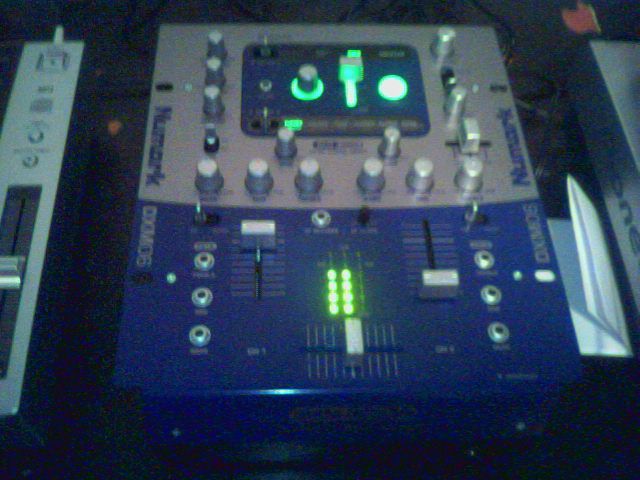
For some reason, those little dotted lights between the volume sliders light up when a cd is playing on the left cdj, but not for the right, even though they are both hooked up the same. I don't know about that at all, and I'm still not getting any sound from the mixer. Oh, and the kills are off ;) |
|
|
|
|

