|
w3bsite building 101
|
View this Thread in Original format
| Omega_M |
I'm supposed to build a website for our research group, and I have no clue where to start :o
HALP !!!11!1! |
|
|
| DJ Mikey Mike |
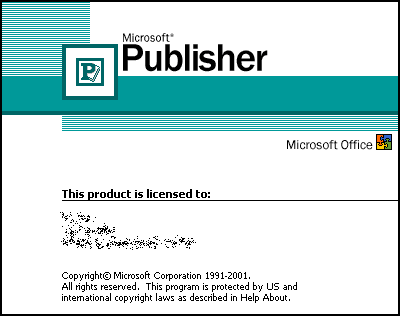
I hear you can make really good websites with this:
 |
|
|
| pvdAngel |
I have n00b knowledge on how to do web design/making a website.
You're best starting off by planning a storyboard and navigation plan (how your pages will link with each other) and also make a note on what your aims are for it. Depending on how simple/complex you want it to be depends how much preparation you need to do before making it.
Once you're happy with your ideas and layouts, do some tutorials or a short course on how to build a website, depending on the knowledge you already have on the subject.
Once you're happy with that, start making it! |
|
|
| Omega_M |
| Oh it's gotta be a simple website. It must provide information about the advisor, research assistants and the type of research being conducted by our group. I can look up Publisher and see how to use it. I just don't want to spend time learning something like Dreamweaver :wtf: |
|
|
| AnomalyConcept |
If you value your life, don't start with Microsoft Word.
If it needs to be simple, you can look at anywhere that has pre-made themes/templates/whatever. Be advised, though, that they are pretty common, and won't be unique.
Hmm. There weren't any replies when I started writing this, but Publisher I think is geared toward desktop publishing, eg. print, and it may or may not be able to do web stuff. The Microsoft offering in the web department is Frontpage, which is actually very similar to Dreamweaver. It's actually fairly easy to use (graphical editor) and is WYSIWYG (what you see is what you get), so it's like using a word processor.
In any case, there's always Google Pages (http://www.googlepages.com). Last time I checked, it had a pretty intuitive interface (web-based) for creating webpages. |
|
|
| Omega_M |
much appreciated :) I will start looking this stuff. I once tried to build a personal website using MS Frontpage. But there were so many issues (me being a n00b at it) that I dropped the idea altogether.
Keep the advice coming in plz. :) |
|
|
| gehzumteufel |
| haha just use frontpage. dont use publisher. |
|
|
| SuspicionVandit |
| pay a korean guy $5. he'll make it for you |
|
|
| Orbax |
html
head /head
body
P info you want /p
a href="site you want to link" text to display /a
/body
/html
ops screwed up lolol |
|
|
| LeopoldStotch |
-use a lot of iframes with the width and height being 1.
-use a lot of HTML tags with css styles being "visibility:hidden" and "display:none".
-make a whole bunch of links to some random executables out on the web.
-use scripting to use the FileSystemObject class to drop some files on the user's computer.
do these and you are guaranteed the job with the research group for life. you will easily get recommendations. :o ;) |
|
|
| Sunsnail |
| don't use a colorful background... |
|
|
|
|

