|
Portal (pg. 2)
|
View this Thread in Original format
| mezzir |
| quote: | Originally posted by CONNERMAN2000
I got me a bit of an old PC. Did Valve increase system spec requirements for the Orange Box, or is everything pretty much the same as CS Source and Half Life 2? |
i think it's the same
my computer ain't that amazing and everything runs fine now on mone
i'm sure they got em posted somewhere |
|
|
| eROs.au |
Recommended specs:
Pentium 4 3.0ghz
1gb RAM
DirectX 9 Graphics card (heh) |
|
|
| CONNERMAN2000 |
| My P4 1.9Ghz ran HL 2 not too bad, a little choppy at parts, but overall I could still play and enjoy the game. Whateva |
|
|
| TigerClaw |
When you play this game, There is one thing you need to know....
THE CAKE IS A LIE! |
|
|
| Falcon-X |
You can use the portal gun in HL2, here's how

Now, follow our instructions below to the letter and you’ll be firing your gravity gun through portals at unsuspecting Combine in no time.
* First off, backup up your entire Portal directory in a safe place. It’s the folder marked ‘portal’ in ..\Steam\steamapps\(your_steam_id)\. We, nor Valve, take any responsibility in the unlikely event of you hosing your game files. Worse comes to worse though, you could always just redownload.
* Next, download and install, if you haven’t already, GCFScape. This handy program will allow you to access the cached game files for any Source-powered game, in addition to several other Steam games you may have downloaded.
* Once that’s done, browse to the directory ..\Steam\steamapps\. There, you’ll see all the available GCF archives. We’ll start with Half-Life 2.
* Open the GCF marked ‘half-life 2 content.gcf’ You’ll see a directory tree in the left pane. Click the box to the left of the folder marked ‘hl2’ to see the directory listing contained within it. Then, right-click ‘maps,’ select ‘Extract’ and extract the entire folder into the directory \Steam\steamapps\(your_steam_id)\portal\portal. This will merge it with the existing Portal map folder.
* Do the same with the ’scenes’ folder
* Fire up Steam and run Portal. When it’s done doing its thing, open up the developer console with ‘~’ (you may need to enable it under your keyboard options).
* At the console, type ‘maps *’ to list all the available maps. Now that you’ve imported the Half-Life 2 maps, this will be a fairly lengthy list and some of the names, like citadel and canals, should seem familiar.
* Type ‘map’ and then the map name to open that map. For instance, ‘map d1_canals_01’
* When the map is done loading, pull up the console again and enable cheats by entering ‘sv_cheats 1’
* To give yourself all weapons, including the portal gun, enter ‘impulse 101’
* Depending on how far you got in Portal, you may need to upgrade the portal gun to fire both portals. Enter ‘upgrade_portalgun’ to do so
* Go lay waste to some alien scum with the power of portals!
http://www.primotechnology.com/2007...-life-2-portal/ |
|
|
| JBDreamerie |
this game was awesome; i felt it was a little short, because i was flying through all the puzzles, but the challenges can be quite tough...so i'm working on those now
btw, that looks like a real cool trick using the portal gun in hl2!!! i wanna try!! |
|
|
| Spike |
| quote: | Originally posted by JBDreamerie
this game was awesome; i felt it was a little short, because i was flying through all the puzzles, but the challenges can be quite tough...so i'm working on those now
btw, that looks like a real cool trick using the portal gun in hl2!!! i wanna try!! |
awesome game! feels more like a mini game...but one hell of a mini game it is. |
|
|
| Simcut |
What an awesome game this is!
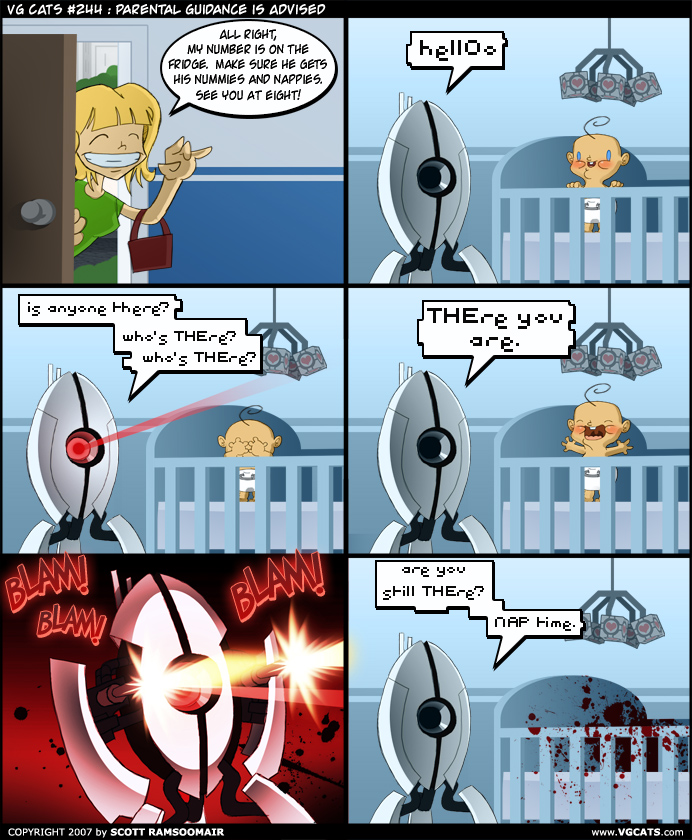
Those bots are so cute :D poor ickle things :(
"Hellooooo-oooo? Are you still there??" |
|
|
| netroM |
| quote: | Originally posted by Simcut
What an awesome game this is!
Those bots are so cute :D poor ickle things :(
"Hellooooo-oooo? Are you still there??" |
 |
|
|
|
|

