|
Download muh mix...oh shut up and just download it! (pg. 2)
|
View this Thread in Original format
| kingofthenight |
great mix...dave!
:D |
|
|
| DaveT |
| quote: | Originally posted by stefanoc
how can you do that setup? from my understanding you have the odds connected to channel 1 and evens at channel 2, correct? is it just a multi output soundcard that you're using? |
I use an M-Audio Quattro which has for mono-outs....so in stereo terms, channel 1/2 = Channel 1 into the mixer, channel 3/4 = Channel 2 into the mixer
A lot of DJs use just two channels in Ableton and go into two channels on the mixer...back-and-forth.
I set mine up so...
Ableton Channel 1 --> Mixer Channel 1
Ableton Channel 2 --> Mixer Channel 2
Ableton CHannel 3 --> Mixer Channel 1
Ableton Channel 4 --> Mixer Channel 2
Ableton Channel 5 --> Mixer Channel 1
Ableton Channel 6 --> Mixer Channel 2
Ableton CHannel 7 --> Mixer Channel 1
Ableton Channel 8 --> Mixer Channel 2
I do this so I can lineup tracks across ableton and makes it easier to work with my shortcuts...also makes it easier for me to line up tracks ahead of time and then I can easily swap them out without getting lost. I just find that it works easier for me...to each his own.
In time I would love to get a 4-stereo channel output Firewire Device so I can lineup samples, sound effects, etc to add more flare to tracks live in real-time. I do experiment with it a bit but I would never let myself do it when recording a live mix or in a club because it's just too easy to mess up since I would have to share channels between the actual tracks I am playing and samples. |
|
|
| diskodave |
| quote: | Originally posted by DaveT
Would love to be able to afford a mood midi-controller and effects boards. Effects in Ableton can be iffy in quality. |
You don't need to buy hardware fx boards, instead you should buy some software vst fx plugins and install them within ableton. I'm not sure how much better these are then the standards VSTs that come with ableton, but here are a few FREE plugins I dug up for Windows:
SpatChain FX 5.1
click here

Chorus CH-2
click here

2RuleFilter
click here

xFlanger
click here

EMI TG12414 Filter
click here
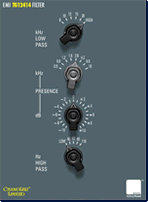 |
|
|
| DaveT |
Well, in my experience trying to use software VSTs while using Ableton is a big risk!!! Have seen it just kill the sound quality. And that just has mistakes written all over it!
Maybe if I had a full on midi-controller and good VSTs....otherwise, I want what like Zabiela, Deadmau5, Markus, etc use... :-p
Anyhow, here's a shot of my ableton...you can see how I have the channels routed. Says sound engine is off because my quattro is at home! Note the master-out isn't actually used in my setup...isn't in most setups I see!
 |
|
|
| DaveT |
Here's the general fx lineup I have setup for most tracks. I'll alternate between "sync" and "time" with ping-pong, delay, etc as I see fit.
 |
|
|
| DaveT |
| BTW, please give opinions...especially the final track LOL |
|
|
| DaveT |
And BTW Taj...who mastered the digital version of your and DH's remix of Undertow? I ask because it seems that no matter what level I play it at, it's almost distorting...just doesn't have a true feel of clarity.
I bought the 320kbps version off of Beatport (gotta show my peeps my support somehow...with money!)...
and don't come back with some "use vinyl" argument, lol...
Just being honest. Version off of beatport just doesn't sound crisp and clean!
I love the remix...makes me want to run as fast as I can through the streets wearing headphones blasting the song! lol.... |
|
|
| skizzell |
| quote: | Originally posted by R!CH
hell seems like a cool place considering all the people who've been condemned there by organized religion. sounds like a ripper party! :cool: |
probably parties like this one all the time!
 |
|
|
| DaveT |
Ugh I am seeing a bit of stuttering in the recording. Was not happening when playing live. Need to see if my raw recording has it...if so, going back to my thoughts that the 5400rpm in this temp MacBook Pro I have (my perm one will have a 7200rpm drive) might be cause it since I am playing through ABleton off this HD and recording back onto it at the same time.
5400rpm should be enough for audio and what I want to do, but APple uses crap Fajitsu drives......
Hoping my raw recording doesn't have the issue and mayhbe it just occured when encoding to mp3 (using lame 3.97)..
Update: Seems like my raw project in Audacity doesn't have the glitches...gar. Will export raw and using something else to encode to mp3!!! Wonder if Audacity --> Lame .mp3 has issues since Audacity breaks the audio up into 1MB chunks....
Update 2: Gar, even when exporting to WAV from Audacity it's becoming glitchy....note to self, never use Audacity to record agaiN!!! Looking around and seems to be a common issue. Gar. Trying AIFF export first...if that doesn't work, updating Audacity to the new beta...if that doesn't work, wonder if I can stack all the 1MB .au files in another program and it'll come out clean? This sucks. |
|
|
| diskodave |
| quote: | Originally posted by DaveT
Well, in my experience trying to use software VSTs while using Ableton is a big risk!!! Have seen it just kill the sound quality. And that just has mistakes written all over it!
Maybe if I had a full on midi-controller and good VSTs....otherwise, I want what like Zabiela, Deadmau5, Markus, etc use... :-p
|
I don't know about the sound quality getting worse. If that is so, how do producers run up to 100 (sometimes more) VSTs when they produce a track within ableton? I’m sure you have seen G&D’s channel strips when they play, they run tonssss of VSTs. |
|
|
| DaveT |
I've seen them run things...but I rarely see them use any when playing live these days...
And they use logic when they produce tracks. |
|
|
| diskodave |
| quote: | Originally posted by DaveT
Here's the general fx lineup I have setup for most tracks. I'll alternate between "sync" and "time" with ping-pong, delay, etc as I see fit.
|
I don't use ableton, but are you putting the fx plug-ins directly onto the channel? Try creating a bus and place the fx plugin on the bus, and use sends to route the signal down the bus line. You can adjust the send level of the audio signal to have greater control of the fx. Again, I don’t use ableton… but this a technique used in producing. |
|
|
|
|

