|
help me with a photochop pls:) (pg. 2)
|
View this Thread in Original format
| dallastar |
| frenchie?!!!!!!!!!! |
|
|
| AnomalyConcept |
| Did I miss something? |
|
|
| Frenchie |
| quote: | Originally posted by dallastar
frenchie?!!!!!!!!!! |
I know I know I'm soooooooooooo sorrry!
I can't think of anything, I'm not good at this sort of thing at all. But the one that got posted is pretty damn cool, just needs to have a title that's all. |
|
|
| Frenchie |
Let me know if you want it in a different color.

EDIT: avatarhax
 |
|
|
| dallastar |
| quote: | Originally posted by Frenchie
Let me know if you want it in a different color.
EDIT: avatarhax
|
thanks babe!:) hehehe |
|
|
| Ygrene |
Well what the damn! :mad:
Dear AnomalyConcept:
Nice job on the ch0p! Excellent work and thanks for helping out! Hope you don't mind being totally ignored by the threadstarter for your fantastic work! Yeah. |
|
|
| AnomalyConcept |
hehe. Doesn't really matter to me. =)
EDIT: it's not really a chop, though. Upscale + redraw, changed the arms a bit. The right hand's fingers are not as fat as the left. Oh well. =D
/mumbles some excuse invoking perspective |
|
|
| Ygrene |
| quote: | Originally posted by AnomalyConcept
hehe. Doesn't really matter to me. =)
EDIT: it's not really a chop, though. Upscale + redraw, changed the arms a bit. The right hand's fingers are not as fat as the left. Oh well. =D
/mumbles some excuse invoking perspective |
Did you redraw with a mouse? I can't make lines that clean. :( |
|
|
| Frenchie |
| quote: | Originally posted by Ygrene
Well what the damn! :mad:
Dear AnomalyConcept:
Nice job on the ch0p! Excellent work and thanks for helping out! Hope you don't mind being totally ignored by the threadstarter for your fantastic work! Yeah. |
She didn't ignore him, she was simply just waiting for me to show what I could come up with since I told her I would try, but I totally forgot. Beside I can't do like that. |
|
|
| dallastar |
| quote: | Originally posted by AnomalyConcept
Not quite a 'photochop', but...
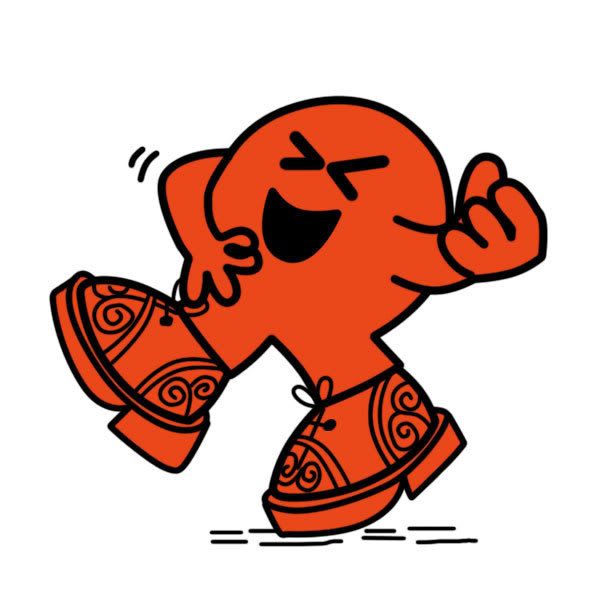
My apologies to the original artist(s). |
actually, I thought I wrote thank you 2 u last night!:( i am so sorry and thank you
xoxoxoxoxo
muah
kiss |
|
|
| AnomalyConcept |
| quote: | Originally posted by Ygrene
Did you redraw with a mouse? I can't make lines that clean. :( |
Yeah, pen tool to create a path, then stroke with the brush (no pressure simulation).
Here's a rough explaination:
1. use pen tool to create points along an edge.
2. click-hold the pen tool in the tools palette, change to 'add anchor point' tool (pen tool with a + next to it).
3. use the 'add anchor point' tool to add points roughly in the middle of the line segments bounded by the points created in step 1.
4. drag newly created anchor point to fit curve. Adjust the bars on either side to suit.
You can use it to create a selection around an object or use it to draw and such. I'll make a graphical tutorial sometime. Been meaning to do it for a while now. =) |
|
|
| dallastar |
| quote: | Originally posted by AnomalyConcept
Yeah, pen tool to create a path, then stroke with the brush (no pressure simulation).
Here's a rough explaination:
1. use pen tool to create points along an edge.
2. click-hold the pen tool in the tools palette, change to 'add anchor point' tool (pen tool with a + next to it).
3. use the 'add anchor point' tool to add points roughly in the middle of the line segments bounded by the points created in step 1.
4. drag newly created anchor point to fit curve. Adjust the bars on either side to suit.
You can use it to create a selection around an object or use it to draw and such. I'll make a graphical tutorial sometime. Been meaning to do it for a while now. =) |
thanks again babe! |
|
|
|
|

